Commvault · Software · YoctoIT tech page

Auto Recovery

Orchestrated disaster recovery: continuous replication, push-button failover and non-disruptive tests with reports — RPO in minutes and RTOs you measure, not hope for.

FOCUS · DR THAT GETS REHEARSEDPer-application failover plans, no-downtime periodic tests and audit evidence: grown-up DR
YoctoIT material for clients and partners · Commvault and the other products mentioned are trademarks of Commvault Systems, Inc.
01 · What it is

Auto Recovery, made clear.

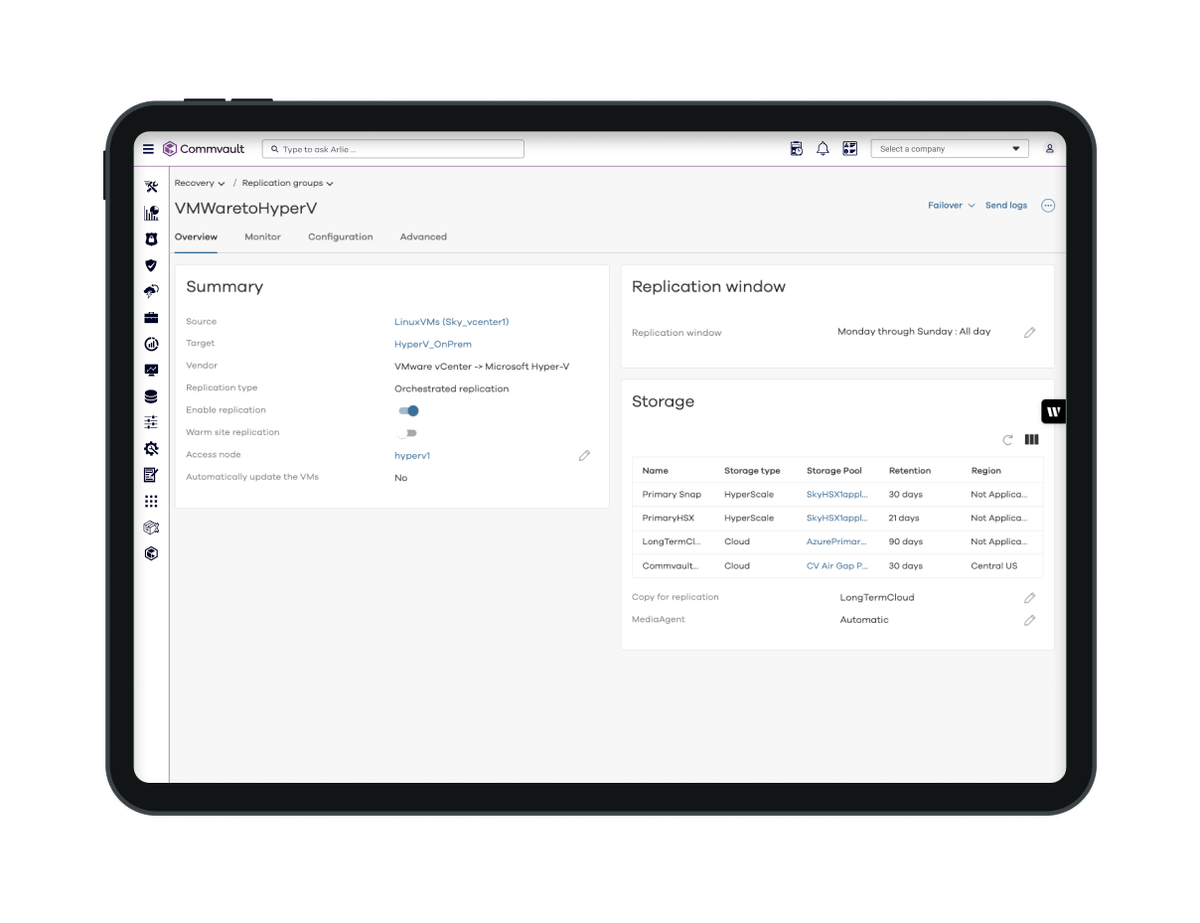
DR almost always fails for the same reason: it was never truly rehearsed. Auto Recovery replicates workloads to the secondary site or the cloud, organizes failover into per-application plans — sequences, network remapping, scripts — and above all enables scheduled non-disruptive tests: the report states real RTO and RPO, the audit is served, and on day X you press a rehearsed button.

min
RPOs with continuous replication
1 click
the plan's failover: sequences and network included
Tests
non-disruptive, scheduled, with reports
Auto Recovery
OFFICIAL BRANDING COMMVAULT
COMMVAULT CLOUD CONSOLE · AUTO RECOVERY · SOURCE: COMMVAULT
02 · How to use it well

The things that make the difference.

Orchestrated DR

Productioncritical VMs and applications
Continuous replication
Failover plans
Periodic tests
RPO minutes · sequences · network remapping
DR site or cloudthe secondary always in sync
Orderly failbackcoming home without losing anything
DR that works when needed

Per-application plans

An ERP isn't a list of VMs: dependencies and boot order codified.

Tests without downtime

The plan runs in an isolated bubble: production doesn't notice, the report does.

Cloud as DR

Azure as the secondary site: DR without the second data center.

Failback included

After the emergency you come back: reverse replication and an orderly return.

03 · In depth

Replication, orchestration and tests: the three pillars

Replication works at VM or application level with RPO in minutes; recovery plans define groups, priorities, order, network mappings and pre/post scripts; tests build the environment in an isolated network from the latest copy, start the apps, verify and tear down: zero impact and a report with measured times; the real failover uses the same plan as the tests — that's why it works; failback resyncs the deltas and brings production home.

  • RPO in minutes — continuous replication for what cannot lose anything
  • Boot order & scripts — apps restart in the right order, configured
  • Network remapping — the DR site's IPs and VLANs: handled by the plan
  • Bubble tests — isolated, schedulable, touching nothing
  • RTO/RPO reports — the true numbers for management and auditors
  • Failback — the orderly return: often forgotten, included here
04 · Numbers and lifecycle

The numbers that matter.

min
typical RPO on critical applications
h
RTO measured in tests, not declared
4+
tests per year: the rhythm we recommend
DORA
the required resilience tests: covered
Paper DR is risk dressed as safety: plans must actually run — we make them run.
05 · Use cases

Where it really pays off.

Business continuity

The ERP restarting in an hour, rehearsed.

DR in the cloud

The second site without the second site.

DORA/NIS2 audits

Tests and evidence: the binder fills itself.

When was your last full DR test? If you have to think about it, that's the wrong answer.