Veeam · Software · YoctoIT tech page

Backup M365

The tenant's protection: Exchange, SharePoint, OneDrive and Teams — because Microsoft guards the platform, not your data.

FOCUS · THE TENANT IS YOURSThe shared responsibility read right: the M365 data is your responsibility — and it must be copied
YoctoIT material for clients and partners · Veeam, Kasten, Coveware and the other products mentioned are trademarks of Veeam Software.
01 · What it is

Backup for Microsoft 365, made clear.

Microsoft guarantees the M365 infrastructure, not your content: the mail deleted beyond the limits, the overwritten SharePoint, the compromised account emptying OneDrive — the recovery is your business. Veeam copies the tenant out of the tenant: granular search, single-object restore, retention decided by you.

Shared resp.
the contract is clear: the data is the customer's responsibility
Granulare
the single mail, the single file, the Teams channel: surgical restore
Fuori tenant
the copy in YOUR perimeter (or ours): independent from Microsoft
Backup for Microsoft 365
OFFICIAL VEEAM BRANDING · M365 BACKUP
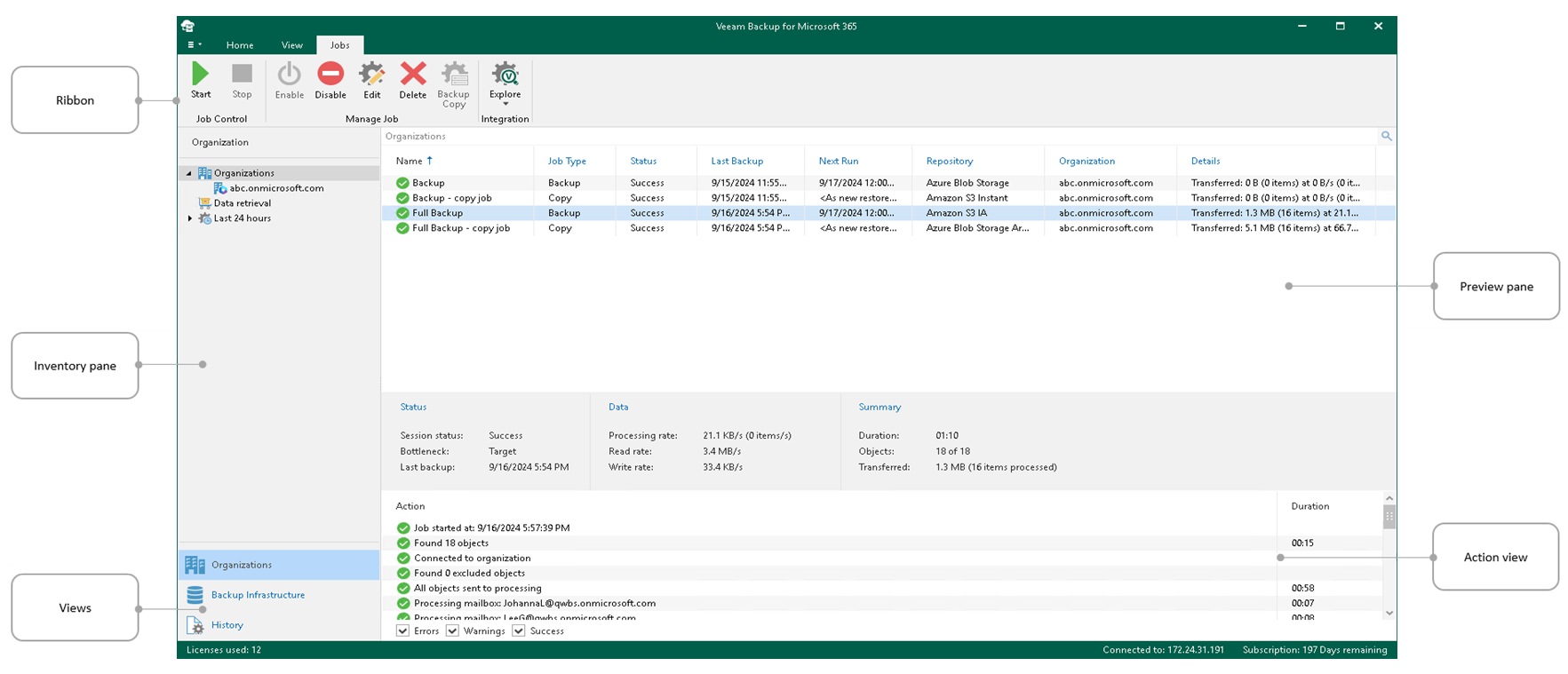
CONSOLE REALE · VEEAM BACKUP FOR MICROSOFT 365 · FONTE: VEEAM
REAL CONSOLE · VEEAM BACKUP FOR MICROSOFT 365 · SOURCE: VEEAM
02 · How to use it well

The things that make the difference.

The coverage

The M365 tenantwhere the company now lives
Exchange
SharePoint & OneDrive
Teams
mail · files · collaboration
Backup out of the tenantyour repository, immutable
Search & granular restorefind and put back, in minutes
The copy Microsoft doesn't make

Retention by company policy

Not the recycle bins' 30-93 days: the years YOUR compliance demands.

Surgical restore

The 2023 mail or yesterday's library: you search, you find, you put it back in its place.

The compromised tenant

The breached account that deletes and encrypts: the external copy is the replay that saves.

Storage and costs

Local or object repository: the sizing on the real tenant (it makes more data than you think).

03 · In depth

Microsoft 365: why and how it gets protected

Backup for Microsoft 365 protects Exchange Online, SharePoint, OneDrive and Teams: the shared responsibility leaves the data to you (Microsoft guarantees the service, not your mistakes nor the ransomware), the M365 retentions aren't a backup; the product downloads onto your repositories (or object storage with immutability), the restores are granular (the mail, the file, the Teams channel) with search; the backup-as-a-service mode we deliver via Cloud Connect.

  • Shared responsibility — Microsoft protects the service, the data is yours: the gap to close
  • Granularità — the single mail or the file from three years ago: found and restored
  • Repository tuoi — the M365 data on storage under your control (or ours, encrypted)
  • Immutabilità — object lock here too: the anti-ransomware M365 copy
  • Teams incluso — channels, tabs and files: the collaboration truly protected
  • Self-service — the restore delegable: the helpdesk emptied
04 · Numbers and lifecycle

The numbers that matter.

93
the M365 recycle bin's maximum days: then the void without a backup
the retention you decide
min
the granular restore: the mail comes back right away
BaaS
the version delivered by us: zero infrastructure
M365 without a backup is a risk accepted by mistake: we close it in a day — policies, repository and restores tested.
05 · Use cases

Where it really pays off.

Every company on M365

None excluded: the shared responsibility applies to everyone.

Legal hold & GDPR

Retention and document production governed.

Exits and handovers

The former employee's data, kept with judgment.

Microsoft's cloud doesn't back up YOUR data: we do it — out of the tenant.