Microsoft Azure · Software · YoctoIT tech page

Intune

Modern device and app management: compliant, protected endpoints wherever people work — without touching PCs by hand.

FOCUS · MODERN ENDPOINTSFrom the domain-joined PC to the cloud-governed device: policies, patches and apps hands-free
YoctoIT material for clients and partners · Microsoft, Azure, Entra, Defender and the other products mentioned are trademarks of Microsoft Corporation.
01 · What it is

Microsoft Intune, made clear.

Intune manages Windows, macOS, iOS and Android from the cloud: automatic enrollment (Autopilot), configuration and security policies, app distribution, patching and compliance. Together with Entra and Defender it closes the loop: only healthy, compliant devices access company data.

Autopilot
the new PC reaches the user and configures itself: zero IT touch
Compliance
the non-compliant device loses access: the policy that defends itself
Multi-OS
Windows, Mac, mobile: one console for the whole endpoint estate
Microsoft Intune
OFFICIAL MICROSOFT BRANDING · INTUNE
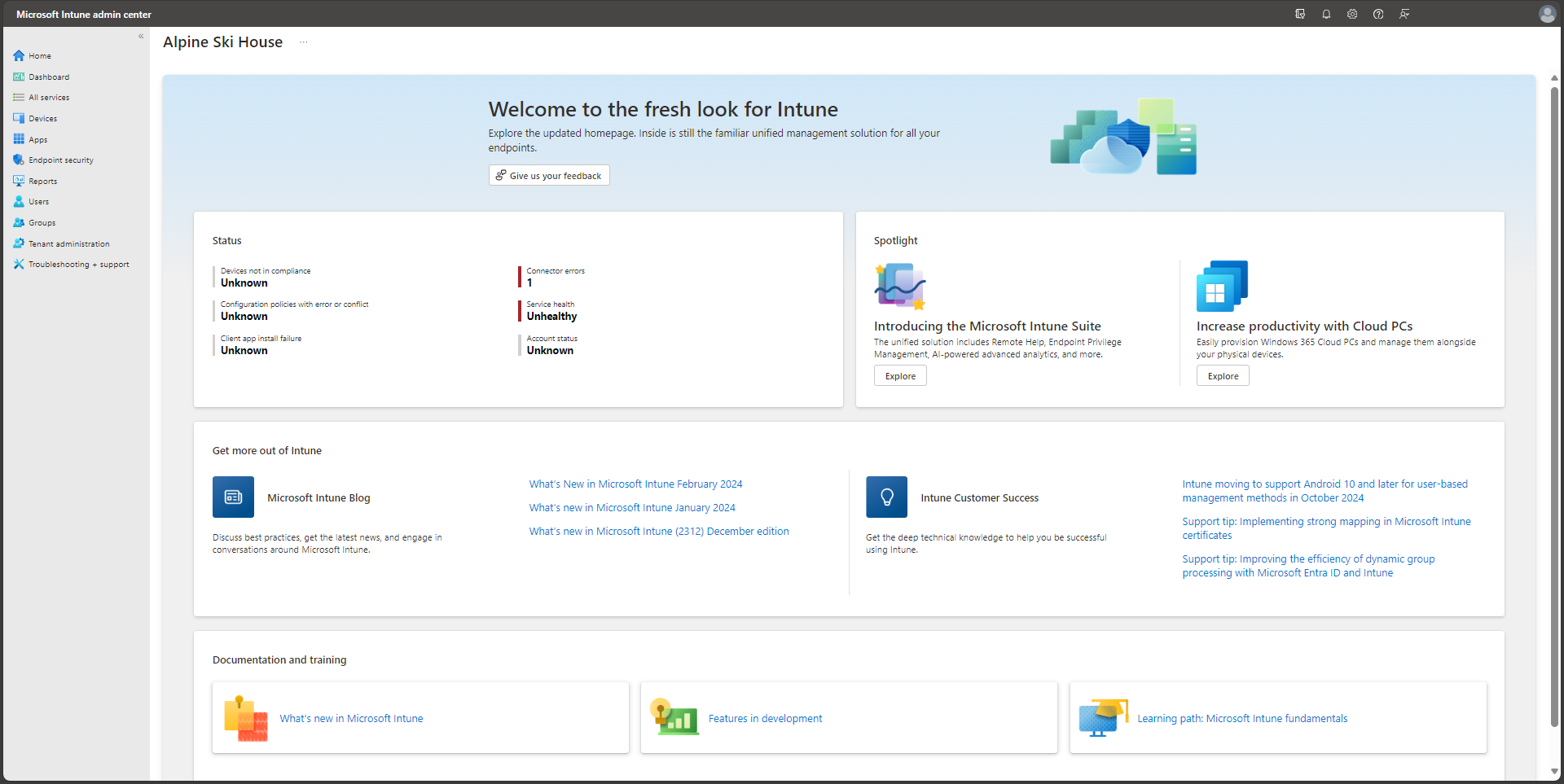
CONSOLE REALE · INTUNE ADMIN CENTER · FONTE: MICROSOFT LEARN
REAL CONSOLE · INTUNE ADMIN CENTER · SOURCE: MICROSOFT LEARN
02 · How to use it well

The things that make the difference.

The closed loop

People, everywhereoffice, home, worksite
Enrollment
Policies & apps
Patches & compliance
born managed · stays compliant
Intune + Entra CAcompliant = access, otherwise no
Defender for Endpointthe security that sees the same estate
The device as a service, not as paperwork

Security baselines

Microsoft security baselines applied and monitored: BitLocker, firewall, ASR — as standard.

Patch rings

Update rings: pilots first, everyone after — Windows Update finally governed.

App lifecycle

Apps packaged and updated from the cloud: the end of 'the technician will drop by'.

BYOD with judgment

App protection on personal devices: company data protected without managing the private phone.

03 · In depth

Profiles, rings and Autopilot

Intune governs by profiles: configuration (settings catalog), compliance (the conditions feeding Conditional Access), apps (Win32 deployment with supersedence and dependencies). Autopilot enrolls the PC from the supplier: the hardware hash pre-registered, the user powers on and finds the environment; update rings (and Autopatch) stagger Windows Update; for mobile, supervised iOS/Android Enterprise enrollment and App Protection for BYOD without device MDM.

  • Settings catalog — the modern configuration profiles: away from legacy GPOs
  • Compliance + CA — the non-compliant device loses access: the pair that governs
  • Autopilot — from courier to desk without IT: pre-provisioning included
  • Win32 app — .intunewin packages with dependencies and supersedence: serious deployment
  • Update ring/Autopatch — pilot→broad rings: Windows Update finally managed
  • App Protection — the container on BYOD: company data without touching the phone
04 · Numbers and lifecycle

The numbers that matter.

0-touch
Autopilot provisioning: the new PC without IT hands
3+
the update rings: pilot, early, broad
100%
BitLocker/FileVault enforced by policy with key escrow
1
console for Windows, macOS, iOS, Android
The modern endpoint is born managed: Autopilot, baselines and rings set up by us — the estate stays compliant on its own.
05 · Use cases

Where it really pays off.

Hybrid work

The estate managed without VPNs and without disk images.

Fast onboarding

The new hire operational on day one, wherever they are.

Endpoint compliance

Encryption and patches provable for audits and insurers.

The endpoint is the new front line: with Intune we keep it compliant, remotely, silently.